Publish
Publish lets you save and share quantum circuit diagrams with other people. Published diagrams are available to anyone with the link. Publish makes it easy to share your quantum circuit diagram by providing a link that you can include in a paper or a presentation.
How to publish a circuit
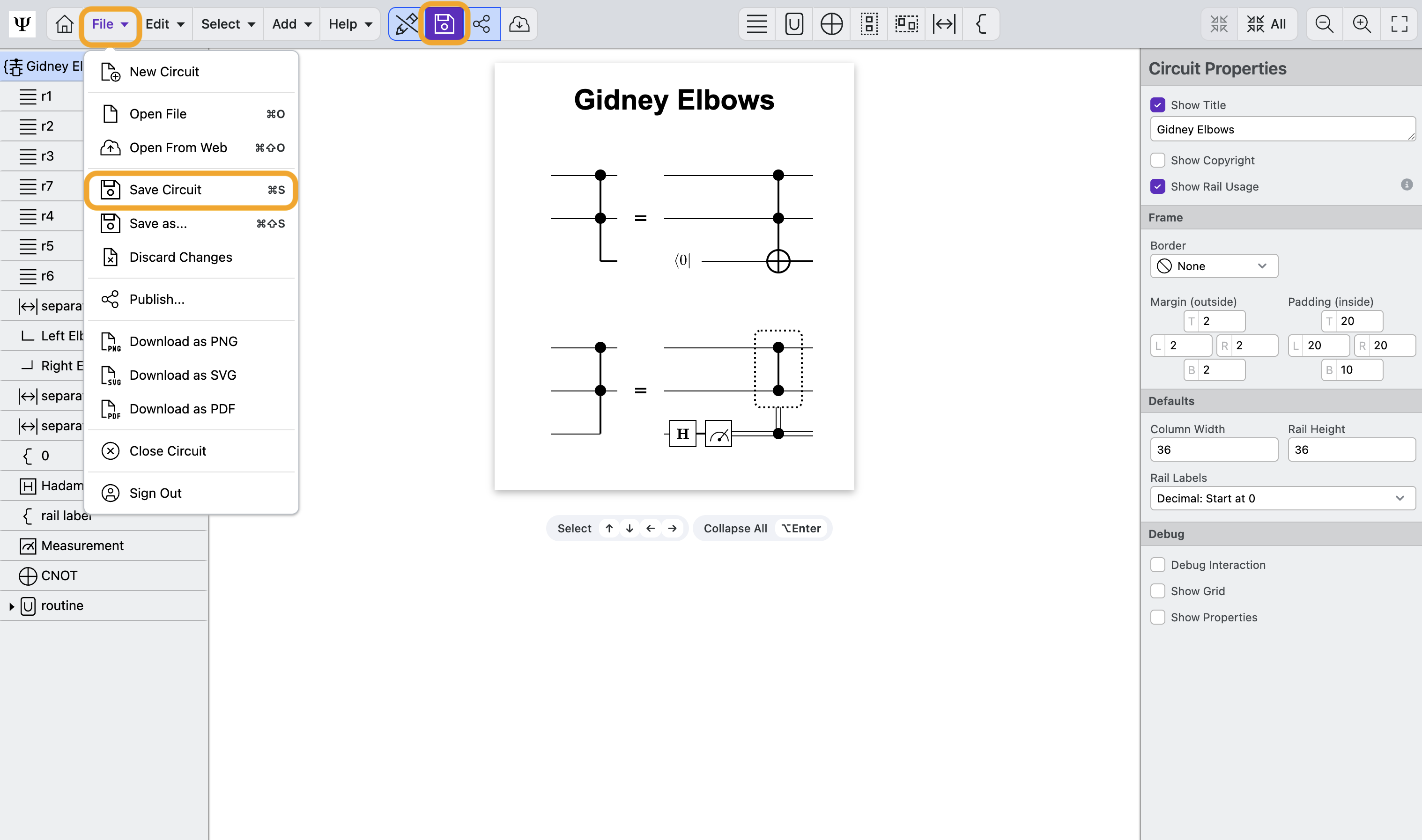
- Click the Save icon or select File > Save to save quantum circuit to your local disk.
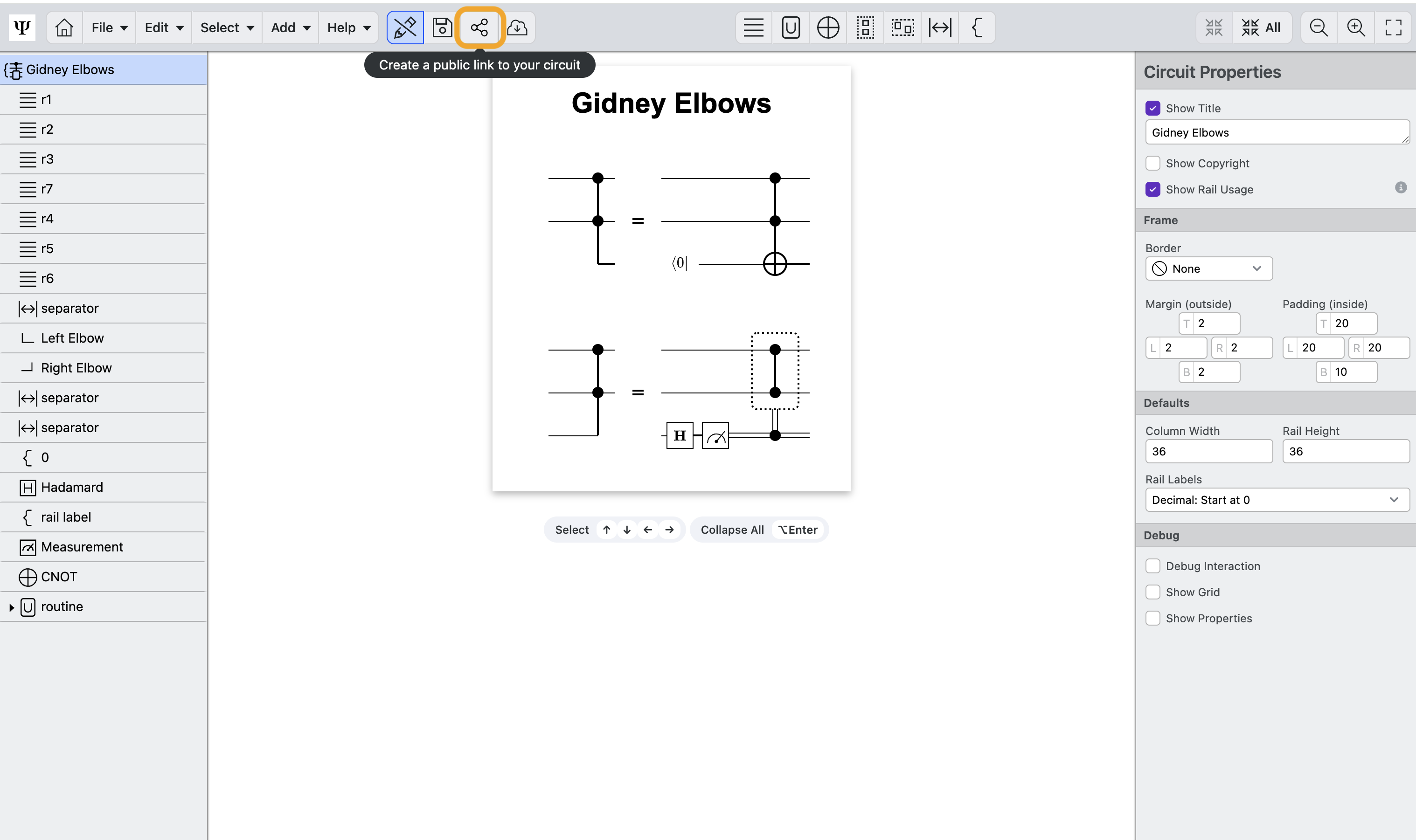
- Click the Publish icon to open the publish modal.
- Read the terms of service and click Agree to proceed to the next step.
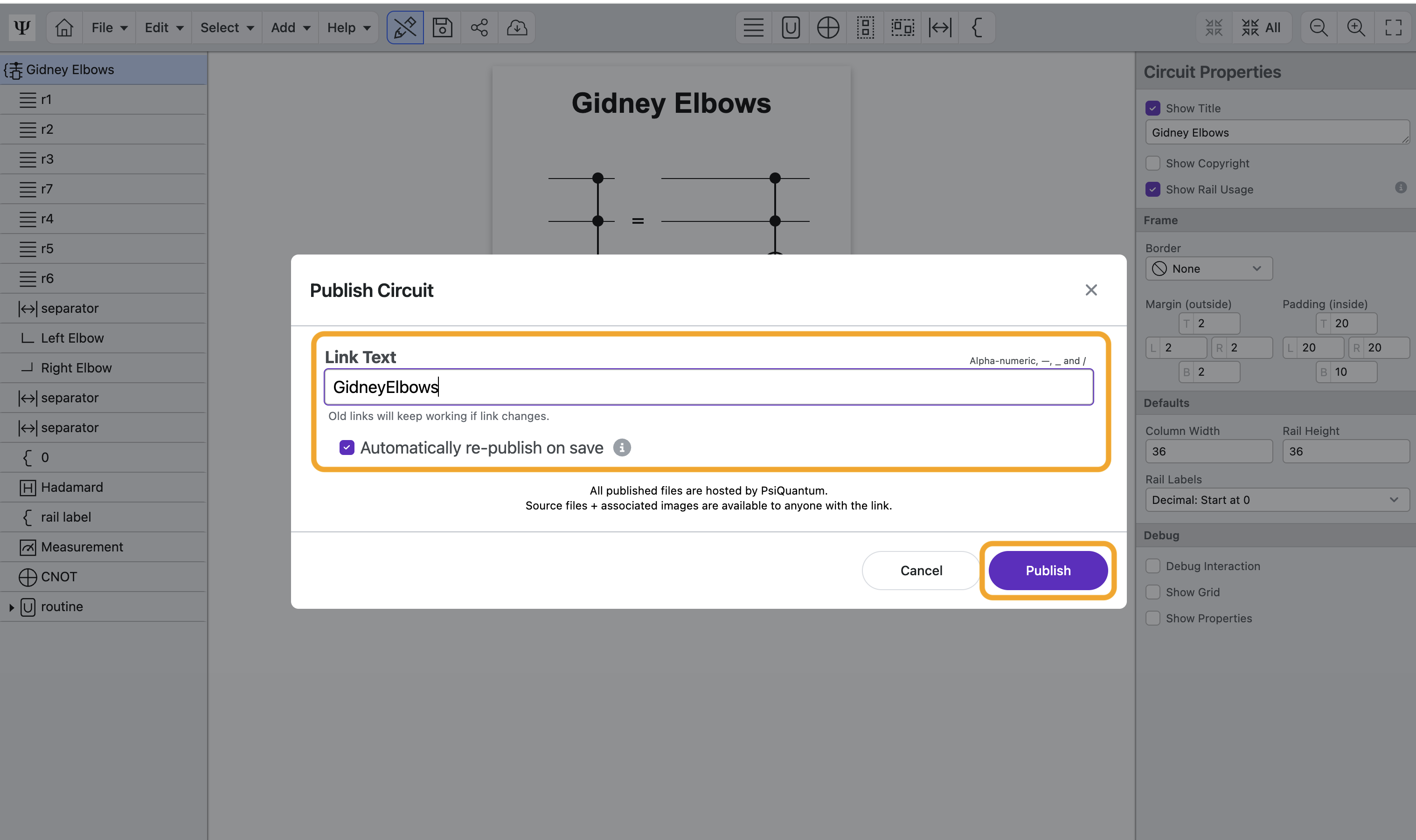
- Publish your circuit by filling out the link text and clicking Publish.
- Link Text: Enter the text appears at the end of the link
- Automatically re-publish on save: this checkbox determines if the published version of the circuit diagram will publish again (using the same link) every time you save. This will ensure that the published version is always in sync with the version you are editing. If this is not checked, you will have to manually re-publish after saving. The same link will be preserved in both cases.
- The circuit is now published! Copy the link to share it with other researchers.
- Publish as New Link: generate a new link to the same circuit.
- Delete Link: Delete the circuit from the server. You will still have access to the file if you saved it to your local device before deleting.
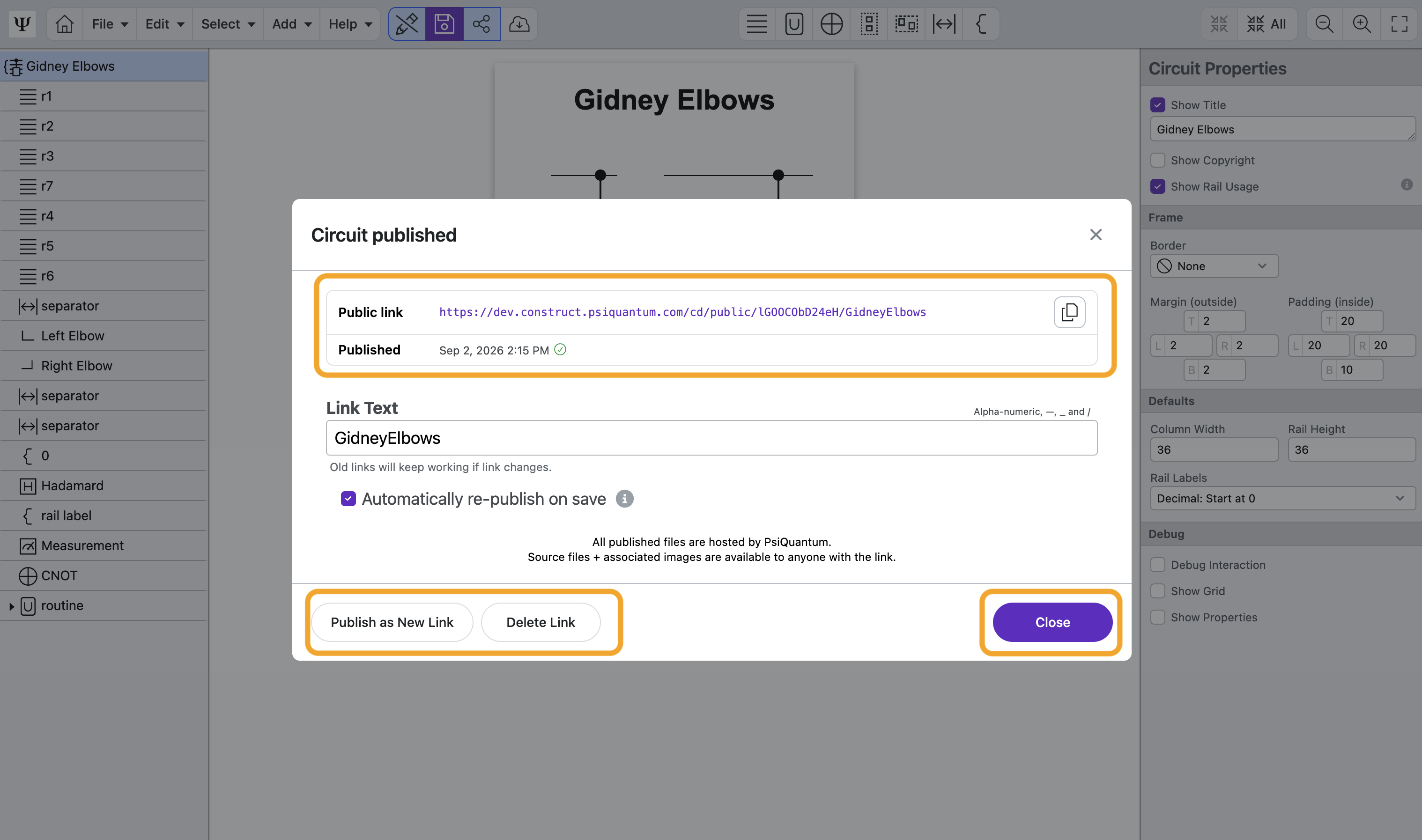
- Click Close to return to Circuit Designer. You can click the Publish button whenever you need to update or access the share link.
How to edit a published circuit
- Open a published file by opening the direct link.
- Make any edits to the circuit and save. You can re-publish the file if you are the original file owner, if not, you will publish a new link.
How to delete a published circuit
- Open a file you published by opening the direct link.
- Click the Publish button.
- Click Delete Link to open the delete confirmation modal
- Click the second Delete Link button to permanently delete the file from the public server.
Learn More
Learn about the Circuit Designer's Add actions